Finding the best AI tools for students has become more important than ever in 2026. Artificial intelligence is no longer just a technology for programmers or large businesses. Today, students utilize AI daily to write essays, summarize research papers, solve math problems, prepare presentations, organize notes, and manage their busy study schedules.
The number of AI-powered learning tools has grown rapidly over the past few years. While this gives students more choices, it also makes it harder to decide which tools are genuinely useful. Some platforms are excellent for academic research, while others are better for writing, productivity, or exam preparation. Selecting the wrong tool can waste both time and money.
This guide was created to help students make informed decisions. Instead of simply listing popular apps, we evaluated each tool based on real-world usefulness, ease of use, accuracy, affordability, and value for different types of learners.
Whether you’re a high school student, a college undergraduate, a graduate researcher, or an online learner, this guide will help you find AI tools that can improve your study routine without replacing your own critical thinking.
Editor’s Note: AI should support your learning, not do your learning for you. The best results come from using AI to understand concepts, organize ideas, and save time on repetitive tasks while continuing to develop your own knowledge and skills.
Table of Contents
Why AI Tools Are Transforming Student Learning in 2026
Education is changing quickly. Digital classrooms, online courses, hybrid learning, and remote collaboration have become common across schools and universities worldwide. At the same time, coursework has become more demanding.
Students are expected to research more efficiently, write more effectively, collaborate online, and manage multiple assignments simultaneously. AI tools help reduce this workload by automating repetitive tasks and providing personalized learning support.
Here are some of the biggest reasons students are using AI in 2026.
Faster Research
Research that once required hours can now be completed much more efficiently.
Modern AI research assistants help students:
- Find reliable sources
- Summarize long articles
- Compare viewpoints
- Explain complex topics in simpler language
Instead of replacing research, these tools help students spend more time analyzing information rather than searching for it.
Better Academic Writing
Writing assignments remain one of the biggest challenges for many students.
AI writing assistants can help with:
- Grammar correction
- Sentence clarity
- Tone improvement
- Paragraph organization
- Citation suggestions
- Brainstorming ideas
Students still need to verify facts and write in their own voice, but AI can make the editing process much smoother.
Smarter Study Sessions
Many students struggle with information overload.
AI study tools can instantly create:
- Flashcards
- Practice quizzes
- Study guides
- Summaries
- Revision notes
This makes exam preparation more organized and less stressful.
Improved Productivity
Success in school depends on more than just studying.
Students also need to:
- Plan assignments
- Track deadlines
- Take lecture notes
- Organize projects
- Manage group work
AI productivity tools automate many of these tasks, helping students stay focused and reduce procrastination.
Personalized Learning
Every student learns differently.
Some understand concepts better through examples, while others prefer visual explanations or step-by-step guidance.
Many AI learning platforms now adapt their responses based on a student’s questions and progress, making learning more personalized than traditional search engines.
Benefits of Using AI Tools for Students
When used responsibly, AI offers several practical advantages.
Save Time
Instead of spending hours formatting notes or summarizing chapters, students can focus on understanding the material.
Improve Writing Quality
AI can identify grammar mistakes, awkward sentences, and readability issues that students might overlook.
Learn Difficult Topics Faster
Complex subjects such as mathematics, programming, economics, and science become easier to understand when AI explains concepts step by step.
Stay Organized
AI planners and note-taking tools help students keep track of assignments, deadlines, and lecture materials in one place.
Reduce Study Stress
Automating repetitive tasks allows students to spend more time reviewing concepts, practicing problems, and preparing for exams with confidence.
Can Students Trust AI?
This is one of the most important questions in education today.
The answer is yes—but with caution.
AI tools can occasionally produce inaccurate information, outdated facts, or faked references. For that reason, students should always:
- Verify important information using trusted academic sources.
- Review AI-generated content before submitting assignments.
- Follow their school’s academic integrity and plagiarism policies.
- Use AI as a learning assistant rather than a shortcut.
Responsible use helps students gain the benefits of AI while avoiding common mistakes.
How We Selected the Best AI Tools for Students
Hundreds of AI applications are available, but not all deserve a place in this guide.
To create this list, we evaluated each tool using the following criteria.
Accuracy
We looked for tools that consistently provide reliable answers and high-quality results across common student tasks.
Ease of Use
Students shouldn’t need technical expertise to benefit from AI. We prioritized intuitive interfaces and simple workflows.
Educational Value
The best AI tools help students understand concepts, improve skills, and become more independent learners rather than simply generating answers.
Pricing
Many students work with limited budgets, so we considered both free plans and affordable premium options.
Privacy and Security
We favored tools that clearly explain how they handle user data and offer appropriate privacy protections.
Cross-Platform Availability
The strongest tools work across desktop, web, and mobile devices, allowing students to study from anywhere.
Quick Comparison Table: Best AI Tools for Students in 2026
| AI Tool | Best For | Free Plan | Platform |
| ChatGPT | Writing, brainstorming, homework help | ✅ Yes | Web, iOS, Android |
| Gemini | Research and Google Workspace | ✅ Yes | Web, Mobile |
| Claude | Long documents and academic writing | ✅ Yes | Web |
| Perplexity AI | Research with cited sources | ✅ Yes | Web, Mobile |
| Notion AI | Notes and productivity | Limited | Web, Desktop, Mobile |
| Grammarly | Grammar and writing improvement | ✅ Yes | Web, Desktop, Browser |
| Quizlet AI | Flashcards and exam preparation | Limited | Web, Mobile |
| Otter.ai | Lecture transcription | ✅ Yes | Web, Mobile |
| Motion | AI scheduling and productivity | Trial | Web |
| Canva AI | Presentations and visual projects | ✅ Yes | Web, Mobile |
What’s Coming Next
In the next section, we’ll review the best AI writing and research tools for students, including ChatGPT, Gemini, Claude, and Perplexity AI.
You’ll learn:
- What each tool does best
- Key features
- Pros and cons
- Free vs. paid plans
- Who should use it
- Practical examples for students
Best AI Writing & Research Tools for Students in 2026
In today’s digital classrooms, AI writing and research tools have become valuable study companions. Whether you’re drafting an essay, summarizing research papers, brainstorming ideas, or finding reliable sources, the right AI tool can save hours of work while helping you learn more effectively.
In this section, we’ll review the four best AI writing and research tools for students in 2026: ChatGPT, Gemini, Claude, and Perplexity AI. Each tool has unique strengths, so the best choice depends on your academic needs.
ChatGPT – Best Overall AI Tool for Students
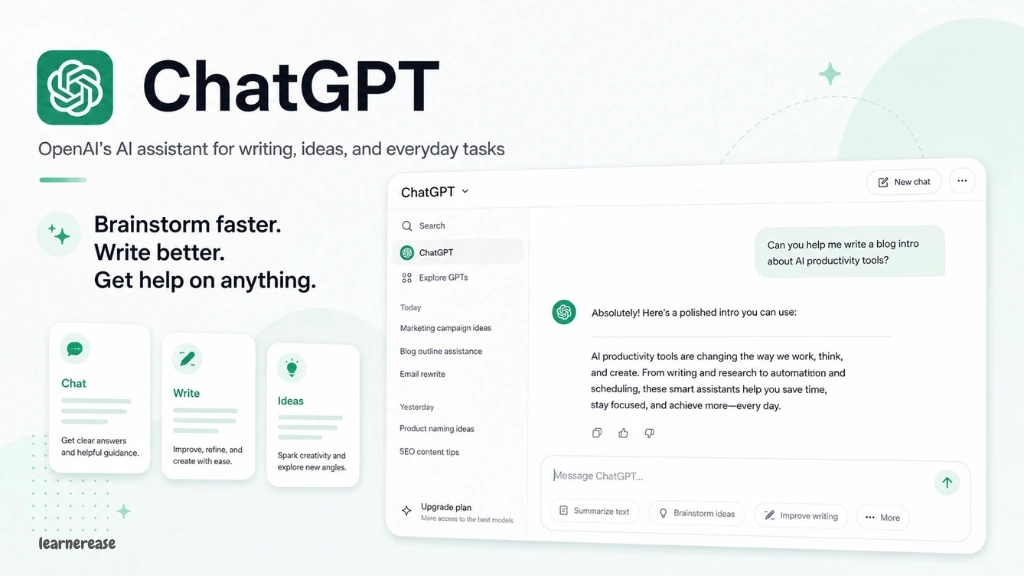
Best For: Writing, brainstorming, homework help, coding, study assistance
If you’re looking for the best AI tool for students, ChatGPT deserves the top spot. Developed by OpenAI, it has become one of the most widely used AI assistants in education.
Students use ChatGPT to explain difficult concepts, generate study guides, improve essays, write code, practice interview questions, and organize assignments. Rather than replacing learning, it works best as a personal tutor that provides instant explanations and feedback.
Key Features
- Explains complex topics in simple language
- Helps brainstorm essay ideas
- Summarizes articles and textbooks
- Solves programming problems
- Creates study plans
- Generates practice quiz questions
- Assists with presentations
- Supports multiple languages
Pros
- Easy to use for beginners
- Excellent writing assistance
- Helpful across many school subjects
- Fast responses
- Supports creative and academic tasks
- Available on web and mobile devices
Cons
- Can occasionally provide incorrect information
- May require fact-checking for academic work
- Some advanced features require a paid subscription
Free vs Paid
| Plan | Best For |
| Free | Everyday studying, homework, and brainstorming |
| Paid | Faster performance, advanced reasoning, larger context windows, and additional premium features |
Best Use Cases
ChatGPT is especially useful for:
- Writing first drafts
- Understanding difficult concepts
- Preparing for exams
- Learning programming
- Improving grammar
- Creating study schedules
- Practicing interview questions
Example
Instead of asking:
“Explain biology.”
Ask:
“Explain photosynthesis to a Grade 10 student with a real-life example.”
The more specific your prompt, the better your results.
Gemini – Best AI Tool for Google Workspace Users
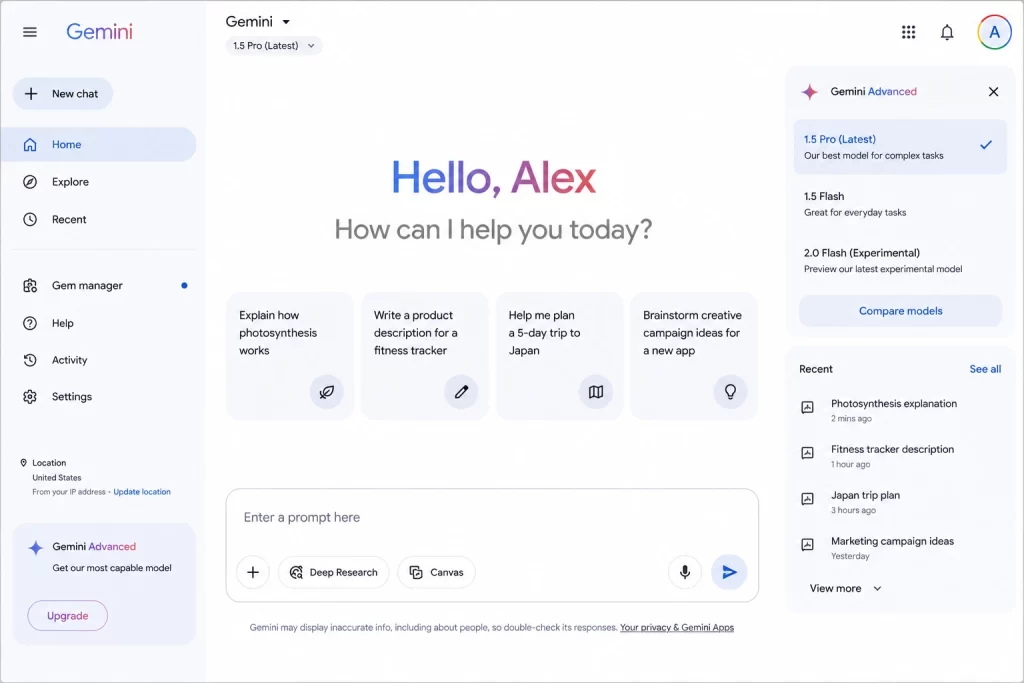
Best For: Research, Google Docs, Gmail, Slides, and productivity
Gemini is Google’s AI assistant designed to work closely with Google Workspace. For students who already use Google Docs, Google Drive, Gmail, and Google Slides, Gemini fits naturally into their daily workflow.
Its biggest advantage is access to Google’s ecosystem. Students can brainstorm ideas in Google Docs, summarize documents, organize emails, and create presentation outlines without constantly switching between different applications.
Key Features
- Google Docs integration
- Google Slides assistance
- Gmail drafting
- Research support
- Image understanding
- File summarization
- Coding help
- Real-time collaboration
Pros
- Excellent integration with Google Workspace
- Great for collaborative projects
- Easy to use
- Helpful for presentations
- Strong document analysis
Cons
- Some premium features require a subscription
- Responses still need fact verification
- Less flexible for highly specialized academic writing
Free vs Paid
| Plan | Best For |
| Free | Daily assignments and research |
| Paid | Advanced workspace features and larger limits |
Best Use Cases
Gemini works particularly well for:
- Group projects
- Creating presentations
- Organizing research
- Drafting emails
- Summarizing long documents
- Planning assignments
Example
Upload lecture notes and ask:
“Create a one-page revision guide with key definitions, formulas, and likely exam questions.”
This helps students review information more efficiently while encouraging active learning.
Claude – Best AI Tool for Academic Writing
Best For: Essays, research papers, long documents, critical thinking
Claude has become one of the strongest AI tools for students who regularly write essays, reports, and research papers.
Its biggest strength is handling long documents while maintaining context. Students can upload lengthy reports or research articles and ask Claude to summarize, compare arguments, identify weaknesses, or explain difficult sections.
Unlike many AI tools, Claude often produces writing that feels natural and well-structured, making it especially valuable during the editing process.
Key Features
- Long document analysis
- Essay editing
- Academic writing support
- Research summaries
- Logical explanations
- Brainstorming
- Coding assistance
- Reading comprehension
Pros
- Excellent at understanding long text
- Clear and natural writing style
- Strong reasoning capabilities
- Helpful for editing academic work
- Easy-to-follow explanations
Cons
- Some advanced features require payment
- Can occasionally miss recent information
- Students should still verify citations and facts
Free vs Paid
| Plan | Best For |
| Free | Essays, reports, studying |
| Paid | Larger projects and advanced capabilities |
Best Use Cases
Claude is ideal for:
- Literature reviews
- Research paper editing
- Thesis planning
- Assignment feedback
- Critical analysis
- Academic writing improvement
Example
Students can upload a 20-page research article and ask:
“Summarize the methodology, key findings, limitations, and future research opportunities.”
This saves time while helping students understand complex academic material.
Perplexity AI – Best AI Research Assistant
Best For: Research with citations, fact-checking, and current information
Research requires trustworthy information, and that’s where Perplexity AI stands out.
Unlike traditional chatbots that mainly generate answers, Perplexity focuses on finding information from multiple sources and presenting cited responses. This makes it particularly useful when students need to explore a topic, compare viewpoints, or locate reliable references.
Although students should still evaluate the quality of cited sources, Perplexity provides a strong starting point for academic research.
Key Features
- Source-backed answers
- Web-based research
- Citation support
- Follow-up questions
- Document analysis
- Academic search
- Fast summaries
- Current information
Pros
- Includes references with many answers
- Excellent for research projects
- Saves time finding sources
- Easy to navigate
- Helpful for comparing information
Cons
- Source quality should always be reviewed
- Premium features require a subscription
- Not a replacement for academic databases
Free vs Paid
| Plan | Best For |
| Free | Every day, research and homework |
| Paid | Advanced AI models, larger file uploads, enhanced research features |
Best Use Cases
Perplexity AI is especially useful for:
- Literature research
- Finding reliable sources
- Fact-checking
- Current events
- Comparing viewpoints
- Starting academic research
Example
Instead of searching dozens of websites individually, students can ask:
“Compare renewable energy policies in the United States, Canada, and Australia using reliable sources.”
The AI organizes the information into a clear summary while pointing users toward supporting references.
Feature Comparison: Top AI Writing & Research Tools
| Feature | ChatGPT | Gemini | Claude | Perplexity AI |
| Essay Writing | ⭐⭐⭐⭐⭐ | ⭐⭐⭐⭐☆ | ⭐⭐⭐⭐⭐ | ⭐⭐⭐⭐☆ |
| Research | ⭐⭐⭐⭐☆ | ⭐⭐⭐⭐☆ | ⭐⭐⭐⭐☆ | ⭐⭐⭐⭐⭐ |
| Homework Help | ⭐⭐⭐⭐⭐ | ⭐⭐⭐⭐☆ | ⭐⭐⭐⭐☆ | ⭐⭐⭐⭐☆ |
| Coding Support | ⭐⭐⭐⭐⭐ | ⭐⭐⭐⭐☆ | ⭐⭐⭐⭐☆ | ⭐⭐⭐☆☆ |
| Long Documents | ⭐⭐⭐⭐☆ | ⭐⭐⭐⭐☆ | ⭐⭐⭐⭐⭐ | ⭐⭐⭐⭐☆ |
| Source Citations | ⭐⭐⭐☆☆ | ⭐⭐⭐☆☆ | ⭐⭐⭐☆☆ | ⭐⭐⭐⭐⭐ |
| Ease of Use | ⭐⭐⭐⭐⭐ | ⭐⭐⭐⭐⭐ | ⭐⭐⭐⭐☆ | ⭐⭐⭐⭐⭐ |
| Free Version | Excellent | Excellent | Very Good | Excellent |
Which AI Writing Tool Should Students Choose?
The best AI tool depends on your study goals.
- Choose ChatGPT if you want an all-in-one assistant for writing, studying, coding, brainstorming, and learning.
- Choose Gemini if you rely heavily on Google Docs, Gmail, Drive, and Slides for schoolwork.
- Choose Claude if your coursework involves essays, reports, research papers, or long reading assignments.
- Choose Perplexity AI if your priority is research, source discovery, and finding referenced information efficiently.
Many students use more than one AI tool. For example, they might use Perplexity AI to gather sources, Claude to analyze research papers, ChatGPT to brainstorm ideas, and Gemini to prepare a polished presentation. Using each tool for its strengths can create a more productive and effective study workflow.
Best AI Productivity & Study Tools for Students in 2026
Success in school isn’t just about writing better essays or finding information faster. Students also need to stay organized, manage their time, take effective notes, and prepare efficiently for exams.
That’s where AI productivity tools for students make a real difference. These tools help automate repetitive tasks, improve focus, and create a more organized study routine.
In this section, we’ll review five of the best AI study tools available in 2026: Notion AI, Grammarly, Quizlet AI, Otter.ai, and Motion AI.
Notion AI – Best AI Productivity Tool for Students
Best For: Note-taking, project management, assignment planning, and study organization
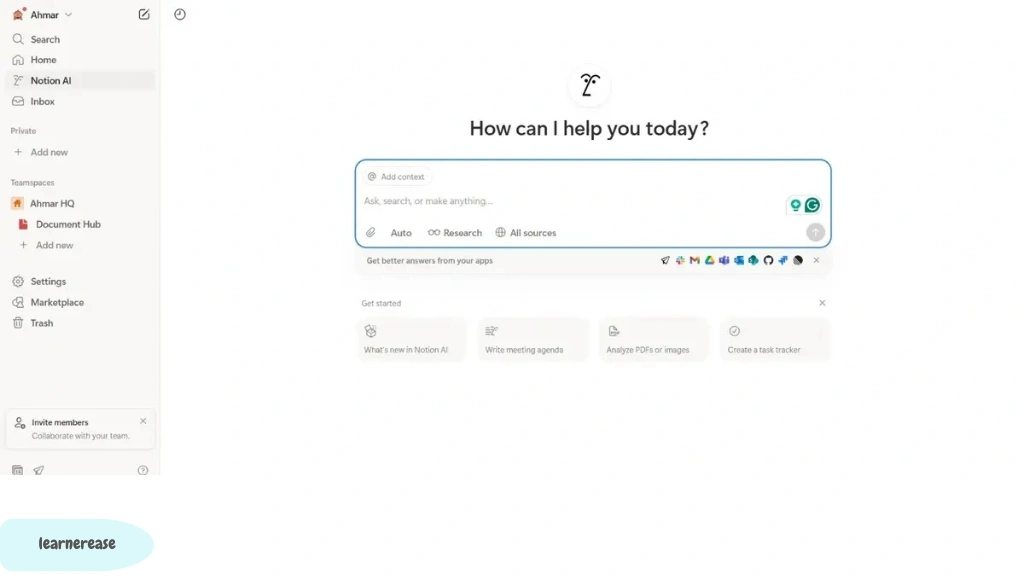
Notion has long been one of the most popular productivity platforms among students. With the addition of Notion AI, it has become an even more powerful workspace for managing academic life.
Instead of keeping notes, assignments, and deadlines across multiple apps, students can organize everything in one place. Notion AI also helps summarize notes, generate content, brainstorm ideas, and improve writing.
Whether you’re managing one class or an entire semester, Notion AI makes it easier to stay organized.
Key Features
- AI note summarization
- Assignment planner
- Smart task management
- Meeting and lecture notes
- Study templates
- Brainstorming assistance
- Content generation
- Collaborative workspaces
Pros
- Excellent organization system
- Powerful note-taking capabilities
- Customizable templates
- Great for group projects
- Cross-device synchronization
- Clean and distraction-free interface
Cons
- Learning curve for beginners
- Some AI features require a paid subscription
- Can feel overwhelming at first
Free vs Paid
| Plan | Best For |
| Free | Personal study organization and note-taking |
| Paid | AI features, larger workspaces, and advanced collaboration |
Best Use Cases
Notion AI is ideal for:
- Semester planning
- Assignment tracking
- Lecture notes
- Research organization
- Group projects
- Daily study planning
Example
Imagine taking notes during a one-hour biology lecture.
After class, simply ask:
“Summarize these notes into five key concepts and generate ten revision questions.”
Instead of spending another hour organizing notes, you’ll have a structured study guide ready in minutes.
Grammarly – Best AI Writing Assistant for Students
Best For: Grammar checking, proofreading, clarity improvement, and academic writing
Even strong writers make grammar mistakes.
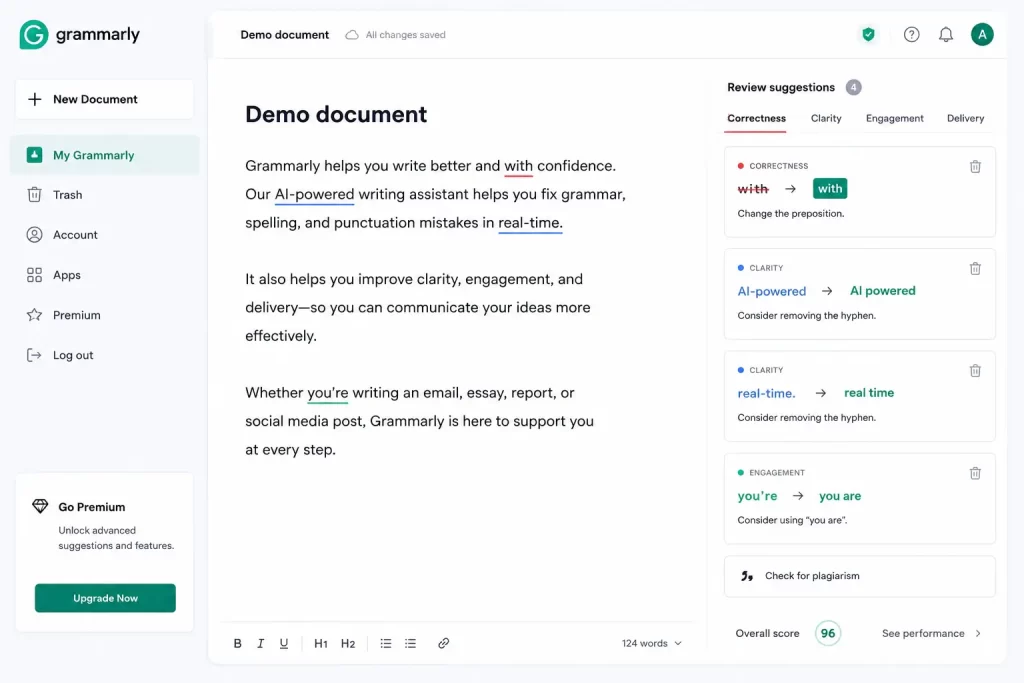
Grammarly has become one of the most trusted AI writing assistants for students because it improves writing without changing the writer’s original ideas.
Whether you’re writing an essay, scholarship application, research paper, or email to a professor, Grammarly helps make your writing more professional and easier to read.
Key Features
- Grammar correction
- Spelling checker
- Punctuation suggestions
- Tone detection
- Clarity improvements
- Vocabulary suggestions
- Plagiarism checker (Premium)
- Writing style recommendations
Pros
- Easy to use
- Real-time writing suggestions
- Browser extension support
- Works with Microsoft Word and Google Docs
- Improves readability
- Helpful explanations for corrections
Cons
- Premium plan required for advanced features
- Suggestions should still be reviewed
- Doesn’t replace careful proofreading
Free vs Paid
| Plan | Best For |
| Free | Every day, writing and grammar checking |
| Premium | Academic writing, plagiarism detection, and advanced style suggestions |
Best Use Cases
Students frequently use Grammarly for:
- Essays
- Research papers
- Personal statements
- Cover letters
- Scholarship applications
- Emails
Example
Instead of simply correcting grammar, Grammarly explains why a sentence sounds awkward, helping students become better writers over time.
Quizlet AI – Best AI Tool for Exam Preparation
Best For: Flashcards, quizzes, memorization, and revision
Quizlet has helped students prepare for exams for years. Its AI-powered features now make studying even more personalized.
Students can upload lecture notes, textbook chapters, or study materials and generate flashcards, quizzes, and practice tests automatically.
This turns passive reading into active learning.
Key Features
- AI flashcard generation
- Practice quizzes
- Adaptive learning
- Study games
- Vocabulary learning
- Progress tracking
- Multiple study modes
- Mobile learning
Pros
- Excellent for memorization
- Great mobile app
- Easy to use
- Interactive study methods
- Saves time creating flashcards
Cons
- Some advanced features require a subscription
- AI-generated flashcards should be reviewed
- Less useful for complex analytical subjects
Free vs Paid
| Plan | Best For |
| Free | Basic flashcards and studying |
| Quizlet Plus | AI study features and advanced learning tools |
Best Use Cases
Quizlet AI works particularly well for:
- Language learning
- Medical terminology
- History
- Biology
- Chemistry
- Vocabulary
- Exam preparation
Example
Upload your class notes and ask Quizlet AI to generate:
- 30 flashcards
- 20 multiple-choice questions
- 10 true-or-false questions
You’ll instantly have multiple ways to test your knowledge before an exam.
Otter.ai – Best AI Note-Taking Tool for Lectures
Best For: Lecture transcription, meeting notes, and interview recordings
Missing important information during lectures is common, especially when instructors speak quickly.
Otter.ai solves this problem by recording conversations and automatically converting speech into searchable text.
Instead of trying to write every word, students can focus on listening and understanding the lesson.
After class, Otter.ai provides organized transcripts that can be reviewed anytime.
Key Features
- Real-time transcription
- AI summaries
- Speaker identification
- Searchable notes
- Audio recording
- Cloud synchronization
- Meeting summaries
- Mobile recording
Pros
- Saves note-taking time
- Accurate speech recognition
- Easy to search transcripts
- Great for online classes
- Helpful for interviews and discussions
Cons
- Accuracy depends on audio quality
- Background noise may affect transcripts
- Free plan has monthly limits
Free vs Paid
| Plan | Best For |
| Free | Basic lecture recording |
| Premium | Longer recordings and advanced transcription features |
Best Use Cases
Otter.ai is especially useful for:
- University lectures
- Online classes
- Group meetings
- Research interviews
- Study discussions
- Seminar recordings
Example
Record a 90-minute lecture.
After class, search for keywords like:
- “Photosynthesis”
- “DNA replication”
- “Exam tips”
Instead of listening to the entire recording again, you’ll jump directly to the relevant section.
Motion AI – Best AI Time Management Tool
Best For: Scheduling, productivity, and reducing procrastination
Many students know what they need to study, but struggle with when to study.
Motion AI automatically creates an intelligent daily schedule based on your assignments, deadlines, meetings, and available time.
If something changes, the schedule updates automatically.
This reduces planning stress and helps students stay productive throughout the semester.
Key Features
- AI scheduling
- Smart calendar
- Task prioritization
- Deadline tracking
- Automatic rescheduling
- Focus planning
- Team collaboration
- Time blocking
Pros
- Excellent for time management
- Reduces procrastination
- Automatically updates schedules
- Helps balance study and personal life
- Easy calendar integration
Cons
- Limited free access
- Takes time to configure initially
- Better suited for busy students with multiple commitments
Free vs Paid
| Plan | Best For |
| Trial | Exploring AI scheduling |
| Paid | Full productivity automation |
Best Use Cases
Motion AI is perfect for students who:
- Take multiple courses
- Work part-time
- Manage extracurricular activities
- Prepare for major exams
- Frequently miss deadlines
Example
Suppose you have:
- Two essays due next week
- Three quizzes
- A part-time job
- Basketball practice
Motion AI automatically builds a realistic schedule that balances all of these responsibilities without overloading your day.
Comparison Table: Best AI Productivity & Study Tools
| Tool | Best For | Free Plan | Overall Rating |
| Notion AI | Notes & Organization | Limited | ⭐⭐⭐⭐⭐ |
| Grammarly | Writing Improvement | Yes | ⭐⭐⭐⭐⭐ |
| Quizlet AI | Exam Preparation | Yes | ⭐⭐⭐⭐☆ |
| Otter.ai | Lecture Notes | Yes | ⭐⭐⭐⭐☆ |
| Motion AI | Time Management | Trial | ⭐⭐⭐⭐☆ |
Which AI Productivity Tool Is Right for You?
Each tool serves a different purpose, and many students benefit from using them together.
- Choose Notion AI if you want one place to organize notes, assignments, research, and projects.
- Choose Grammarly if improving grammar, clarity, and academic writing is your priority.
- Choose Quizlet AI if you’re preparing for exams and want interactive flashcards and quizzes.
- Choose Otter.ai if you attend lectures, online classes, or interviews and need accurate transcripts.
- Choose Motion AI if you struggle with procrastination, deadlines, or managing a busy schedule.
A practical workflow might look like this:
- Record lectures with Otter.ai.
- Organize and summarize notes in Notion AI.
- Create revision flashcards using Quizlet AI.
- Write and edit assignments with Grammarly.
- Plan study sessions and deadlines using Motion AI.
By combining these tools thoughtfully, students can spend less time on administrative tasks and more time understanding concepts, practicing skills, and achieving better academic results.
Best AI Tools for Different Types of Students in 2026
Not every student has the same academic needs. A high school student preparing for exams faces different challenges than a medical student studying anatomy or an engineering student writing code.
That’s why choosing the best AI tools for students depends on your level of education, subjects, and learning goals. Instead of using one AI tool for everything, you can build a personalized toolkit that supports your daily workflow.
In this section, we’ll recommend the best AI tools for different types of students and explain why each one stands out.
Best AI Tools for High School Students
High school students often need help understanding new concepts, completing homework, preparing for quizzes, and improving writing skills.
The best AI tools at this stage should be simple, easy to use, and designed to encourage learning rather than just providing answers.
Recommended AI Tools
| AI Tool | Best For |
| ChatGPT | Homework help and explanations |
| Quizlet AI | Flashcards and exam preparation |
| Grammarly | Grammar and essay writing |
| Canva AI | School presentations |
| Khanmigo (where available) | Guided learning and tutoring |
Why These Tools Work
High school students benefit from AI that explains concepts step by step.
Instead of copying answers, they can ask questions like:
- Explain algebra using simple examples.
- Create a practice science quiz.
- Summarize this history chapter.
- Help me improve my essay introduction.
Using AI this way builds understanding and confidence before exams.
Recommended Workflow
- Learn new topics with ChatGPT.
- Create revision flashcards in Quizlet AI.
- Improve essays with Grammarly.
- Design presentations using Canva AI.
Best AI Tools for College Students
College coursework requires more independent learning, critical thinking, research, and project management.
Students often juggle multiple assignments while balancing part-time jobs and extracurricular activities.
Recommended AI Tools
| AI Tool | Best For |
| ChatGPT | Research and writing |
| Notion AI | Organization |
| Grammarly | Academic editing |
| Perplexity AI | Source-backed research |
| Otter.ai | Lecture notes |
Why These Tools Work
College students frequently manage:
- Research papers
- Group projects
- Weekly assignments
- Presentations
- Lecture notes
Using AI responsibly can reduce repetitive tasks while leaving more time for critical thinking and deeper learning.
Productivity Tip
Create one workspace in Notion AI for every course.
Include:
- Lecture notes
- Assignment deadlines
- Research links
- Study checklists
- Exam schedules
Keeping everything organized in one place makes semester planning much easier.
Best AI Tools for University Students and Graduate Researchers
University and postgraduate students usually work with longer academic papers, dissertations, literature reviews, and complex research topics.
They need AI tools that support careful analysis instead of simply generating text.
Recommended AI Tools
| AI Tool | Best For |
| Claude | Long academic documents |
| Perplexity AI | Literature research |
| ChatGPT | Brainstorming and explanations |
| Grammarly Premium | Academic editing |
| Notion AI | Research management |
Why These Tools Work
Graduate students often read hundreds of pages each semester.
Claude can summarize lengthy documents, while Perplexity AI helps identify relevant sources and compare viewpoints.
ChatGPT is particularly useful for simplifying difficult theories or generating discussion questions before seminars.
Example
Suppose you’re researching climate change policy.
A productive workflow could look like this:
- Find recent sources with Perplexity AI.
- Summarize journal articles using Claude.
- Organize references in Notion AI.
- Edit your paper using Grammarly.
Best AI Tools for Medical Students
Medical education is known for its demanding workload. Students must memorize anatomy, physiology, pharmacology, pathology, and clinical guidelines while developing critical reasoning skills.
AI can make studying more efficient, but it should never replace trusted medical textbooks, clinical training, or evidence-based resources.
Recommended AI Tools
| AI Tool | Best For |
| ChatGPT | Explaining medical concepts |
| Quizlet AI | Medical flashcards |
| Notion AI | Organizing study notes |
| Otter.ai | Lecture transcription |
| Perplexity AI | Finding research articles |
How AI Helps Medical Students
Medical students can use AI to:
- Summarize lecture notes
- Generate anatomy quizzes
- Explain disease mechanisms
- Review drug classifications
- Create revision schedules
Important Reminder
Medical information changes over time.
Always verify AI-generated information using current medical textbooks, peer-reviewed journals, and your institution’s recommended learning materials before relying on it for coursework or clinical practice.
Best AI Tools for Engineering Students
Engineering students solve mathematical problems, design systems, write technical reports, and often learn programming languages.
AI tools can improve productivity while helping students understand complex technical concepts.
Recommended AI Tools
| AI Tool | Best For |
| ChatGPT | Coding and problem-solving |
| Claude | Technical explanations |
| Gemini | Google Workspace collaboration |
| Notion AI | Project management |
| Grammarly | Technical report editing |
Why These Tools Work
Engineering students often need help with:
- Programming
- Calculations
- Technical documentation
- Project planning
- Team collaboration
Rather than asking AI to solve every problem, students should request explanations that help them understand the underlying concepts.
Example Prompt
Instead of asking:
Solve this programming assignment.
Ask:
Explain why this Python function returns an error and show how I can debug it step by step.
This approach builds stronger coding skills.
Best AI Tools for Law Students
Law students spend countless hours reading cases, statutes, journal articles, and legal commentaries.
AI can help organize information, summarize lengthy documents, and improve productivity.
Recommended AI Tools
| AI Tool | Best For |
| Claude | Case summaries |
| ChatGPT | Legal concept explanations |
| Perplexity AI | Research support |
| Notion AI | Case organization |
| Grammarly | Legal writing |
How AI Helps
Law students can use AI to:
- Summarize court decisions
- Compare legal principles
- Organize case notes
- Brainstorm essay structures
- Review writing clarity
Academic Integrity Reminder
Always check legal citations, statutes, and case references using official legal databases or your university library. AI summaries are useful for study, but should not replace primary legal sources.
Best AI Tools for MBA and Business Students
Business students frequently work on case studies, presentations, marketing plans, financial analysis, and group projects.
AI can streamline many of these tasks while improving collaboration.
Recommended AI Tools
| AI Tool | Best For |
| ChatGPT | Business writing |
| Gemini | Google Slides and Docs |
| Canva AI | Professional presentations |
| Notion AI | Project planning |
| Grammarly | Reports and communication |
Best Use Cases
Business students often use AI to:
- Brainstorm marketing ideas
- Analyze case studies
- Create presentation outlines
- Draft professional emails
- Organize project timelines
AI helps reduce administrative work so students can spend more time developing strategic thinking and problem-solving skills.
Best AI Tools for Online Learners
Online learners need strong self-discipline because they often study independently without regular classroom interaction.
AI tools can act as virtual study partners by providing structure and timely feedback.
Recommended AI Tools
| AI Tool | Best For |
| ChatGPT | Personal tutoring |
| Notion AI | Study planning |
| Motion AI | Time management |
| Otter.ai | Recording online classes |
| Grammarly | Assignment editing |
Tips for Online Students
Use AI to create a consistent study routine.
For example:
- Build a weekly study schedule with Motion AI.
- Store all course notes in Notion AI.
- Record live classes using Otter.ai where permitted.
- Review assignments with Grammarly before submission.
- Ask ChatGPT to explain concepts you find challenging.
Combining these tools can make remote learning more structured and productive.
Quick Recommendations by Student Type
| Student Type | Best Overall AI Tool | Best Productivity Tool | Best Research Tool |
| High School | ChatGPT | Quizlet AI | ChatGPT |
| College | ChatGPT | Notion AI | Perplexity AI |
| University | Claude | Notion AI | Perplexity AI |
| Medical | ChatGPT | Quizlet AI | Perplexity AI |
| Engineering | ChatGPT | Notion AI | Claude |
| Law | Claude | Notion AI | Perplexity AI |
| MBA & Business | ChatGPT | Notion AI | Gemini |
| Online Learners | ChatGPT | Motion AI | Perplexity AI |
How to Build Your Own AI Study Toolkit
Instead of relying on a single application, many successful students combine several AI tools based on their strengths.
Here’s an example toolkit:
| Purpose | Recommended Tool |
| Homework & Learning | ChatGPT |
| Research | Perplexity AI |
| Long Document Analysis | Claude |
| Organization | Notion AI |
| Writing & Grammar | Grammarly |
| Exam Preparation | Quizlet AI |
| Lecture Notes | Otter.ai |
| Time Management | Motion AI |
| Presentations | Canva AI |
This combination covers nearly every stage of the learning process—from research and note-taking to writing, revision, and project planning.
Best Practices for Using AI Responsibly
To get the most value from AI while maintaining academic integrity:
- Use AI to understand concepts, not to bypass learning.
- Verify important facts with trusted academic or subject-specific sources.
- Follow your school’s policies on AI-assisted work.
- Cite sources appropriately when required.
- Review and edit AI-generated content in your own words.
- Protect your privacy by avoiding the upload of sensitive personal or confidential information unless you’re comfortable with the tool’s data policies.
Students who use AI as a learning assistant—rather than a shortcut—are more likely to strengthen their understanding, improve their skills, and produce higher-quality academic work.
Free vs. Paid AI Tools, Personal Opinions
Artificial intelligence has become an essential part of modern education. From organizing lecture notes to preparing for exams, the best AI tools for students can improve productivity and make learning more efficient.
However, using AI effectively isn’t just about choosing the right app. Students also need to understand when a free version is enough, when a paid subscription offers real value, and how to use AI responsibly in academic settings.
In this final section, we’ll answer those questions and help you build an AI-powered study routine that supports long-term learning.
Free vs. Paid AI Tools for Students
Many of today’s leading AI platforms offer generous free plans. For most high school and college students, these free versions provide enough features for daily studying, note-taking, brainstorming, and writing assistance.
Paid plans, however, unlock advanced capabilities that may benefit students handling more demanding academic workloads.
When Free AI Tools Are Enough
If you mainly need help with:
- Homework assistance
- Grammar checking
- Brainstorming ideas
- Study planning
- Flashcards
- Basic research
- Lecture summaries
Then, free versions of most AI tools will likely meet your needs.
Many students complete an entire semester using only free AI tools without significant limitations.
When a Paid AI Subscription Makes Sense
A premium plan may be worth considering if you:
- Write long research papers regularly
- Analyze lengthy academic documents
- Need advanced AI reasoning
- Work on coding projects
- Use AI every day
- Collaborate on large team projects
- Need faster responses during busy periods
For graduate students, researchers, and professionals pursuing advanced degrees, the extra features can save considerable time.
Free vs Paid Comparison
| Feature | Free Plan | Paid Plan |
| Homework Help | ✅ | ✅ |
| Essay Assistance | ✅ | ✅ Enhanced |
| Grammar Checking | ✅ Basic | ✅ Advanced |
| AI Research | ✅ | ✅ Faster & More Powerful |
| Long Document Analysis | Limited | Full Access |
| Coding Assistance | Basic | Advanced |
| File Uploads | Limited | Larger Files |
| Response Speed | Standard | Priority |
Tip: Start with the free version of a tool. Upgrade only if you consistently reach its limits or need advanced features for your coursework.
How to Use AI Responsibly in Education
AI should support your education—not replace your effort.
Using AI ethically helps you learn more effectively while maintaining academic integrity.
Use AI to Learn, Not Copy
Instead of asking AI to complete an assignment for you, ask it to explain concepts, suggest ideas, or provide examples.
Better Prompt
Explain Newton’s Second Law using a real-world example suitable for a first-year engineering student.
Less Helpful Prompt
Write my entire physics assignment.
The first approach builds understanding. The second risks undermining your learning and may violate school policies.
Always Verify Information
Although AI tools have improved significantly, they can still make mistakes.
Before using AI-generated information in an assignment:
- Check facts against trusted textbooks.
- Verify statistics using official sources.
- Confirm citations before including them.
- Review dates, names, and technical details.
Critical thinking remains one of the most valuable academic skills.
Follow Your School’s AI Policy
Educational institutions have different rules regarding AI use.
Some instructors encourage AI for brainstorming and editing, while others limit or prohibit AI assistance for certain assignments.
Before submitting work:
- Read your institution’s AI guidelines.
- Ask your instructor if you’re unsure.
- Be transparent when disclosure is required.
Understanding the rules helps you avoid academic misconduct.
Protect Your Privacy
When using AI tools:
- Avoid uploading sensitive personal information.
- Do not share confidential school records.
- Be cautious with unpublished research or proprietary data.
- Review the platform’s privacy policy if you’re handling important documents.
Responsible digital habits are just as important as responsible study habits.
Common Mistakes Students Should Avoid
Many students use AI effectively, but a few common mistakes can reduce its value or create academic problems.
Copying AI Responses Without Editing
AI-generated content should be treated as a starting point.
Always revise, personalize, and fact-check the output before submitting any assignment.
Trusting Every Answer
Even advanced AI models can provide incomplete or inaccurate information.
Develop the habit of verifying important claims with credible academic sources.
Using Too Many AI Tools
Trying every new AI app often creates unnecessary complexity.
Instead, build a small toolkit that covers your main academic needs.
For example:
- ChatGPT for learning and brainstorming
- Perplexity AI for research
- Grammarly for editing
- Notion AI for organization
- Quizlet AI for revision
A focused workflow is usually more productive than switching between dozens of platforms.
Ignoring Time Management
AI saves time—but only if you use that extra time wisely.
Rather than replacing study sessions, use the time saved to:
- Practice difficult concepts.
- Review class notes.
- Solve additional exercises.
- Prepare for upcoming exams.
Frequently Asked Questions (FAQs)
What is the best AI tool for students in 2026?
For most students, ChatGPT remains one of the most versatile AI tools. It supports writing, brainstorming, coding, study planning, and concept explanations, making it a strong all-around choice.
Which AI tool is best for academic research?
Perplexity AI is an excellent option for research because it helps students discover relevant information and often provides supporting references. However, you should still evaluate the quality of the sources and consult academic databases when required.
What is the best free AI tool for students?
Several AI tools offer generous free plans. ChatGPT, Gemini, Claude, Grammarly, Quizlet AI, and Perplexity AI all provide valuable features without requiring payment.
Can AI improve grades?
AI can improve learning efficiency by helping students organize notes, understand difficult concepts, and practice more effectively. Better grades still depend on consistent study, critical thinking, and independent completion of coursework.
Is using AI for homework considered cheating?
That depends on your school’s policies and how you use AI.
Using AI to explain concepts, generate practice questions, or improve writing may be acceptable in many contexts. Submitting AI-generated work as your own without permission may violate academic integrity rules.
Always follow your instructor’s guidance.
Which AI tool is best for writing essays?
Claude, ChatGPT, and Grammarly each offer valuable writing support.
- Claude excels at analyzing and improving longer documents.
- ChatGPT is useful for brainstorming, outlining, and drafting.
- Grammarly helps refine grammar, clarity, and style.
Which AI tool is best for taking notes?
Notion AI and Otter.ai are among the strongest choices.
- Notion AI helps organize and summarize notes.
- Otter.ai transcribes lectures and meetings into searchable text.
Are AI tools safe for students?
Most well-known AI platforms are generally safe when used responsibly. Students should avoid sharing sensitive personal information, review privacy settings, and verify important information before relying on AI-generated responses.
Final Verdict: Which AI Tool Should You Choose?
There isn’t a single AI tool that’s perfect for every student. The right choice depends on your goals, subjects, and study habits.
Here’s our overall recommendation:
| Category | Best Choice |
| Best Overall AI Tool | ChatGPT |
| Best Research Tool | Perplexity AI |
| Best Academic Writing Tool | Claude |
| Best Productivity Tool | Notion AI |
| Best Grammar Assistant | Grammarly |
| Best Exam Preparation Tool | Quizlet AI |
| Best Lecture Note Tool | Otter.ai |
| Best Time Management Tool | Motion AI |
| Best Google Workspace Integration | Gemini |
If you’re just getting started, begin with ChatGPT, Notion AI, and Grammarly. As your academic needs grow, consider adding specialized tools like Perplexity AI for research or Quizlet AI for exam preparation.
Final Thoughts
Artificial intelligence is changing how students learn, organize information, and prepare for academic success. The best AI tools for students don’t replace curiosity, effort, or critical thinking; they enhance them.
When used responsibly, AI can help you spend less time on repetitive tasks and more time developing meaningful skills. Whether you’re writing essays, preparing for exams, managing research, or organizing your schedule, the right combination of AI tools can make your learning experience more productive and less stressful.
The most successful students won’t be those who rely entirely on AI. They’ll be the ones who know how to combine AI with sound study habits, independent thinking, and academic integrity.
Start with one or two tools, learn how they fit into your workflow, and expand your toolkit only when you genuinely need additional capabilities. A thoughtful approach will serve you far better than chasing every new AI app that appears.
Maybe you like to read:
Best SEO AI Tools: 20+ AI Tools to Rank Higher & Get More Traffic