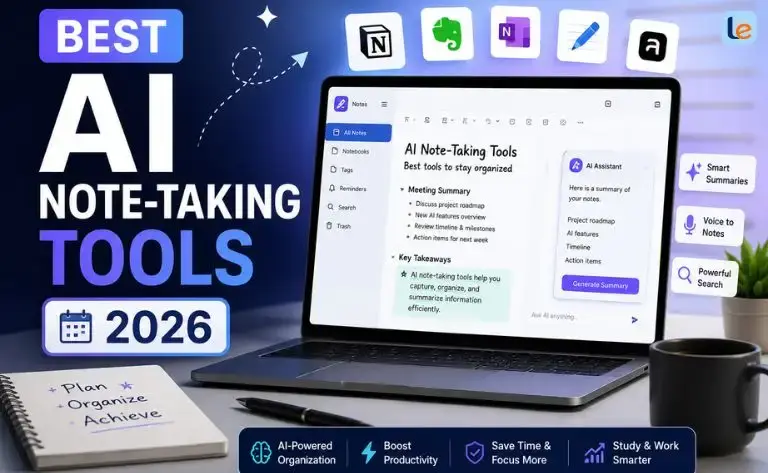
Artificial intelligence has changed the way we learn, work, and organize information. If you’re looking for the best AI note-taking tools 2026, you’re in the right place. Today’s AI-powered note-taking apps do much more than save text. They can record meetings, summarize lectures, organize ideas, generate action items, and even help you find information in seconds.
Whether you’re a student preparing for exams, a business professional attending daily meetings, or a content creator managing research, AI note-taking tools can save hours every week. Many of them also offer generous free plans, making it easier than ever to improve productivity without spending money.
In this guide, we’ll explore the best AI note-taking apps available in 2026, compare their features, discuss free and open-source alternatives, and help you choose the right tool for your needs.
Why AI Note-Taking Tools Are Essential in 2026
Taking notes manually is no longer the fastest or smartest option. Modern AI tools listen, understand context, and organize information automatically.
Instead of spending your attention writing every word, you can focus on learning, participating in meetings, or brainstorming ideas while the AI captures the important details.
Here are some of the biggest benefits:
- Automatically transcribe meetings and lectures
- Generate accurate summaries within seconds
- Organize notes into searchable folders
- Extract action items and key decisions
- Sync notes across all your devices
- Collaborate with classmates or teammates
- Save hours of manual work every week
As AI models continue to improve, these tools have become more accurate, faster, and easier to use than ever before.
How We Selected the Best AI Note-Taking Tools
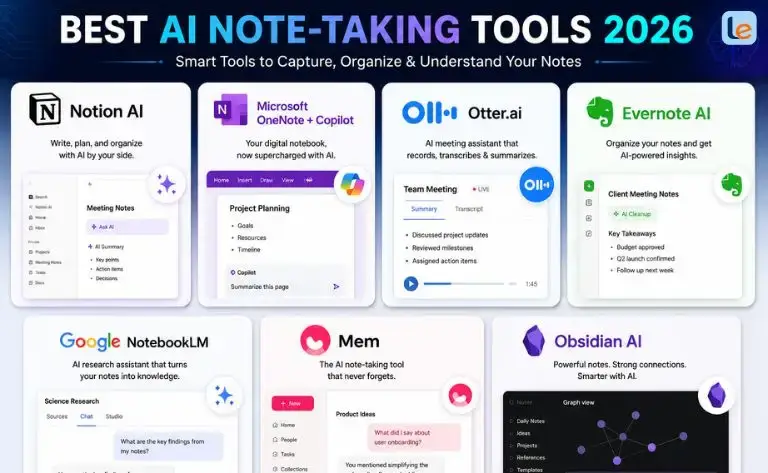
There are dozens of AI note-taking apps available today. Instead of simply listing popular names, we evaluated each tool using practical criteria that matter to real users.
Our evaluation included:
- AI transcription accuracy
- Summary quality
- Ease of use
- Collaboration features
- Student-friendly tools
- Mobile and desktop support
- Privacy and security
- Free plan value
- Pricing
- Overall productivity improvements
This balanced approach helps ensure that every recommendation offers real value for students, professionals, and everyday users.
1. Notion AI — Best Overall AI Note-Taking Tool in 2026
Among all available options, Notion AI remains one of the strongest choices for users seeking an all-in-one workspace.
It combines note-taking, document creation, project management, knowledge management, and AI writing assistance into one platform. Instead of switching between multiple apps, you can organize almost everything in a single workspace.
Best For
- Students
- Professionals
- Freelancers
- Researchers
- Content creators
- Remote teams
Key AI Features
Notion AI helps users by:
- Summarizing long notes
- Creating meeting summaries
- Generating action items
- Rewriting paragraphs
- Translating content
- Brainstorming ideas
- Answering questions from your notes
- Creating tables automatically
Instead of reading dozens of pages, you can ask AI to provide a concise summary within seconds.
Why Students Love Notion AI
For students, Notion AI acts like a personal study assistant.
You can upload lecture notes, class materials, or research papers and let AI organize everything into easy-to-review summaries.
It can also help create:
- Flashcards
- Study guides
- Revision notes
- Essay outlines
- Research summaries
- Assignment checklists
This makes it one of the best examples of Note-taking AI for students available today.
Collaboration Features
Group projects become much easier because everyone can edit documents together.
Students can:
- Share class notes
- Assign tasks
- Track deadlines
- Leave comments
- Build shared knowledge bases
For businesses, teams can manage projects and meeting notes from one centralized workspace.
Pros
✅ Powerful AI assistant
✅ Excellent document organization
✅ Beautiful interface
✅ Great collaboration tools
✅ Large template library
✅ Works on Windows, Mac, Android, iPhone, and Web
Cons
❌ Some advanced AI features require a paid subscription
❌ Beginners may need a little time to learn the workspace
Pricing
- Free plan available
- Paid AI plans unlock advanced features and higher usage limits
Why It Earned the #1 Spot
Notion AI strikes an excellent balance between simplicity and advanced functionality.
Instead of being just a note-taking app, it becomes your digital notebook, study assistant, project manager, and AI writing helper all in one place.
For most users, it’s one of the best AI note taking tools 2026 because it offers impressive flexibility without becoming overwhelming.
Quick Comparison
| Feature | Notion AI |
| AI Summaries | ⭐⭐⭐⭐⭐ |
| Meeting Notes | ⭐⭐⭐⭐☆ |
| Study Notes | ⭐⭐⭐⭐⭐ |
| Team Collaboration | ⭐⭐⭐⭐⭐ |
| Mobile App | ⭐⭐⭐⭐⭐ |
| Free Version | Yes |
| Best For | Students, Professionals, Teams |
2. Microsoft OneNote + Copilot — Best for Microsoft 365 Users
If you already use Microsoft Word, Excel, Outlook, or Teams, Microsoft OneNote with Copilot is one of the smartest AI note-taking solutions in 2026.
OneNote has been a trusted note-taking app for years. With the addition of Microsoft Copilot, it has evolved into an intelligent workspace that can summarize notes, answer questions, organize content, and even generate ideas from your notebooks.
Best For
- College students
- Office professionals
- Remote workers
- Teachers
- Microsoft 365 subscribers
Key AI Features
Microsoft Copilot enhances OneNote by helping you:
- Summarize long notebooks instantly
- Generate study notes from class materials
- Rewrite messy notes into organized documents
- Create task lists from meeting notes
- Brainstorm ideas for projects
- Answer questions based on your saved notes
Instead of searching through dozens of pages, you can ask Copilot to find the exact information you need in seconds.
Why Students Like OneNote
OneNote allows students to organize subjects into notebooks, sections, and pages. With AI support, reviewing for exams becomes much easier.
Students can:
- Record lectures
- Insert PDFs
- Draw diagrams
- Write with a stylus
- Sync notes across multiple devices
- Search handwritten notes
This makes it one of the most practical Note-taking AI options for students available today.
Pros
✅ Excellent handwriting support
✅ Deep Microsoft 365 integration
✅ Powerful AI assistant
✅ Free basic version
✅ Great organization tools
Cons
❌ Advanced AI requires a Microsoft 365 Copilot subscription
❌ Some features are limited on the free plan
Pricing
- Free version available
- Premium AI features require Microsoft 365 + Copilot
Why Choose OneNote?
If you already rely on Microsoft Office every day, OneNote offers one of the smoothest AI-powered note-taking experiences without changing your workflow.
3. Otter.ai — Best for Meeting Notes and Lecture Transcriptions
For users who spend hours in meetings, online classes, or interviews, Otter.ai remains one of the best AI note-taking tools in 2026.
Its biggest strength is real-time speech transcription. Instead of manually writing notes, Otter automatically records conversations, identifies speakers, and creates searchable transcripts.
Best For
- Students
- Journalists
- Researchers
- Business professionals
- Remote teams
Key AI Features
Otter AI automatically:
- Records meetings
- Converts speech into text
- Generates meeting summaries
- Highlights important moments
- Identifies different speakers
- Extracts action items
- Creates searchable transcripts
It works with many popular meeting platforms, making it ideal for hybrid work and online learning.
Why Students Love Otter.ai
Imagine attending a two-hour lecture without worrying about writing every sentence.
Otter captures the lecture while you focus on understanding the material. Later, you can search the transcript for keywords instead of replaying the entire recording.
Students often use it to:
- Review lectures
- Prepare exam notes
- Capture classroom discussions
- Organize research interviews
For many learners, it’s among the best Note-taking AI for students free options because its free plan is useful for light usage.
Pros
✅ Excellent transcription accuracy
✅ Automatic meeting summaries
✅ Speaker recognition
✅ Fast search function
✅ Easy sharing
Cons
❌ Free plan has monthly usage limits
❌ Better suited for voice notes than traditional notebooks
Pricing
- Free plan available
- Premium plans unlock longer recordings and advanced AI features
Why Choose Otter.ai?
If your work revolves around conversations, lectures, or meetings, Otter.ai can save hours of manual note-taking every week.
4. Evernote AI — Best for Personal Knowledge Management
Evernote has long been known as one of the world’s most popular note-taking apps. In 2026, its AI-powered features make it even better for organizing large collections of notes and documents.
Instead of simply storing information, Evernote AI helps users understand, summarize, and retrieve it quickly.
Best For
- Writers
- Researchers
- Business owners
- Students
- Personal knowledge management
Key AI Features
Evernote AI can help you:
- Summarize lengthy documents
- Improve writing
- Create outlines
- Search notes using natural language
- Suggest related content
- Organize notebooks automatically
Finding old information is much faster because AI understands context rather than relying only on exact keywords.
Organization Features
Evernote makes it easy to store almost anything, including:
- PDFs
- Images
- Web pages
- Audio recordings
- Scanned documents
- Checklists
- Research notes
Its powerful search feature is especially useful for users with thousands of saved notes.
Pros
✅ Excellent search capabilities
✅ Strong document organization
✅ AI summaries
✅ Web clipper for research
✅ Cross-platform support
Cons
❌ Free plan has storage limitations
❌ Premium plans can be expensive for casual users
Pricing
- Free plan available
- Paid plans offer more storage, advanced AI tools, and additional collaboration features
Why Choose Evernote AI?
If your goal is to build a searchable personal knowledge library, Evernote remains one of the most reliable AI-powered note-taking apps available.
Quick Comparison
| Tool | Best For | Free Plan | AI Summaries | Meeting Notes | Student Friendly |
| Microsoft OneNote + Copilot | Microsoft users | ✅ | ⭐⭐⭐⭐⭐ | ⭐⭐⭐⭐☆ | ⭐⭐⭐⭐⭐ |
| Otter.ai | Meetings & lectures | ✅ | ⭐⭐⭐⭐⭐ | ⭐⭐⭐⭐⭐ | ⭐⭐⭐⭐⭐ |
| Evernote AI | Research & organization | ✅ | ⭐⭐⭐⭐☆ | ⭐⭐⭐☆☆ | ⭐⭐⭐⭐☆ |
Which Tool Should You Choose?
Each of these tools excels in different situations:
- Microsoft OneNote + Copilot is ideal if you already use Microsoft 365 and want seamless AI-powered note organization.
- Otter.ai is the best choice for recording lectures, meetings, and interviews with accurate transcriptions.
- Evernote AI shines when you need to manage large amounts of research, documents, and personal knowledge.
Best AI Note Taking Tools 2026
So far, we’ve covered Notion AI, Microsoft OneNote + Copilot, Otter.ai, and Evernote AI. Each tool excels in different areas, from meeting transcription to knowledge management.
In this section, we’ll explore three more powerful AI note-taking tools that are gaining popularity in 2026, including an innovative research assistant and an open-source favorite.
5. Google NotebookLM — Best AI Tool for Research and Studying
If you regularly read textbooks, research papers, PDFs, or online articles, Google NotebookLM is one of the most impressive AI note-taking tools available in 2026.
Unlike traditional note-taking apps, NotebookLM lets you upload your own sources and ask AI questions based only on those materials. This reduces the risk of unrelated or made-up answers and makes it especially useful for studying and research.
Best For
- Students
- Researchers
- Teachers
- Writers
- Professionals handling large documents
Key AI Features
NotebookLM helps you:
- Upload PDFs, Google Docs, and text files
- Generate summaries from your documents
- Ask questions about your study materials
- Compare multiple sources
- Create study guides
- Extract key ideas
- Build FAQs from your notes
Instead of reading hundreds of pages repeatedly, you can ask questions like:
- “What are the main arguments in this paper?”
- “Summarize Chapter 5.”
- “What examples support this conclusion?”
The AI answers using only the documents you’ve added.
Why Students Love NotebookLM
Students often spend hours organizing research before writing assignments.
NotebookLM speeds up that process by helping you understand your own sources more quickly.
It works well for:
- Literature reviews
- Exam preparation
- Research projects
- Thesis writing
- Assignment planning
This makes it one of the strongest examples of Note-taking AI for students in 2026.
Pros
✅ Excellent document understanding
✅ Accurate AI summaries
✅ Great for research-heavy work
✅ Easy-to-use interface
✅ Integrates well with Google Workspace
Cons
❌ Less suitable for traditional notebook organization
❌ Collaboration features are still more limited than some competitors
Pricing
- Free plan available
- Some advanced AI capabilities may depend on your Google plan or future feature rollouts
Why Choose NotebookLM?
If your daily work revolves around reading and understanding information, NotebookLM can dramatically reduce research time while helping you stay focused on your own sources.
6. Mem — Best AI Note-Taking Tool for Busy Professionals
Mem takes a different approach to note-taking. Instead of requiring you to organize everything into folders and notebooks, it uses AI to connect your notes automatically.
This means you can spend less time organizing and more time thinking.
Best For
- Entrepreneurs
- Executives
- Freelancers
- Consultants
- Knowledge workers
Key AI Features
Mem AI can:
- Automatically organize notes
- Suggest related information
- Generate summaries
- Search using natural language
- Surface relevant notes when you need them
- Connect ideas across different projects
As your collection grows, Mem becomes smarter at helping you rediscover information you may have forgotten.
Smart Search
One of Mem’s standout features is its AI-powered search.
Instead of remembering exact keywords, you can ask questions naturally, such as:
- “Show my marketing meeting notes from last month.”
- “Find ideas about the mobile app redesign.”
- “What tasks did I assign during Monday’s meeting?”
The AI understands context, making retrieval much faster.
Pros
✅ Automatic organization
✅ Fast AI search
✅ Clean and distraction-free design
✅ Great for professionals
Cons
❌ Smaller template library
❌ Free plan is more limited than some competitors
Pricing
- Free version available with limitations
- Premium subscription unlocks advanced AI features
Why Choose Mem?
If you dislike manually sorting folders and tags, Mem offers one of the smartest AI-driven organization systems available today.
7. Obsidian AI — Best for Privacy and Local Knowledge Management
Obsidian has become a favorite among developers, researchers, writers, and advanced users who want complete control over their notes.
Unlike many cloud-based apps, Obsidian stores your notes locally as simple Markdown files. This gives you greater privacy and flexibility while allowing you to connect ideas through a powerful linking system.
With AI plugins and integrations, Obsidian becomes an intelligent note-taking environment without sacrificing ownership of your data.
Best For
- Developers
- Researchers
- Writers
- Advanced users
- Privacy-conscious individuals
Key AI Features
Depending on the plugins you choose, Obsidian can:
- Generate note summaries
- Answer questions about your knowledge base
- Suggest internal links
- Create outlines
- Brainstorm ideas
- Improve writing
- Search using AI
Because Obsidian has an active community, new AI features continue to appear regularly.
Why It Stands Out
Many users appreciate that Obsidian stores notes in plain text files rather than locking them into a proprietary format.
That means:
- Your notes remain accessible
- You can back them up easily
- You own your data
- Thousands of community plugins extend functionality
Pros
✅ Excellent privacy
✅ Highly customizable
✅ Massive plugin ecosystem
✅ Local file storage
✅ Powerful knowledge graph
Cons
❌ Learning curve for beginners
❌ AI setup may require installing plugins
Pricing
- Personal use is free
- Optional paid services and AI integrations are available
Best AI Note Taking Tools 2026 GitHub (Open-Source Alternatives)
If you enjoy experimenting with open-source software or want more control over your data, GitHub offers several AI-powered note-taking projects.
Many developers prefer these tools because they can inspect the code, customize features, and even host the software themselves.
Popular categories include:
- Markdown-based AI notebooks
- AI-powered personal knowledge bases
- Meeting transcription assistants
- Retrieval-Augmented Generation (RAG) note systems
- Obsidian AI plugins
- Local Large Language Model (LLM) note assistants
These Best AI note-taking tools 2026 GitHub projects are ideal for developers, researchers, and privacy-focused users who prefer self-hosted solutions over cloud services.
However, they often require more technical knowledge than commercial apps like Notion AI or NotebookLM.
Which Tool Is Right for You?
Choosing the right AI note-taking tool depends on how you work:
- Google NotebookLM is ideal for students, researchers, and anyone working with PDFs, textbooks, and academic materials.
- Mem is perfect for professionals who want AI to organize information automatically.
- Obsidian AI is the best choice for users who value privacy, customization, and long-term ownership of their notes.
Whether you prefer a polished commercial platform or an open-source solution from GitHub, there is an AI note-taking tool that fits your workflow.
Best AI Note Taking Tools 2026
By now, we’ve explored seven of the best AI note-taking tools available in 2026. Each app offers unique strengths, whether you’re attending online lectures, managing work meetings, or organizing research.
In this section, we’ll compare all the tools side by side, highlight the best free options, and help students find the right AI note-taking app for their learning style.
AI Note-Taking Tools Comparison Table (2026)
| Tool | Best For | Free Plan | AI Summaries | Meeting Recording | Collaboration | Student Friendly | Overall Rating |
| Notion AI | All-in-one productivity | ✅ | ⭐⭐⭐⭐⭐ | ⭐⭐⭐⭐☆ | ⭐⭐⭐⭐⭐ | ⭐⭐⭐⭐⭐ | ⭐★★★★ |
| Microsoft OneNote + Copilot | Microsoft users | ✅ | ⭐⭐⭐⭐⭐ | ⭐⭐⭐⭐☆ | ⭐⭐⭐⭐⭐ | ⭐⭐⭐⭐⭐ | ⭐★★★★ |
| Otter.ai | Meetings & lectures | ✅ | ⭐⭐⭐⭐⭐ | ⭐⭐⭐⭐⭐ | ⭐⭐⭐⭐☆ | ⭐⭐⭐⭐⭐ | ⭐★★★★ |
| Evernote AI | Research & organization | ✅ | ⭐⭐⭐⭐☆ | ⭐⭐⭐☆☆ | ⭐⭐⭐⭐☆ | ⭐⭐⭐⭐☆ | ⭐★★★☆ |
| Google NotebookLM | Research & studying | ✅ | ⭐⭐⭐⭐⭐ | ❌ | ⭐⭐⭐☆☆ | ⭐⭐⭐⭐⭐ | ⭐★★★★ |
| Mem | Professionals | ✅ | ⭐⭐⭐⭐☆ | ❌ | ⭐⭐⭐☆☆ | ⭐⭐⭐☆☆ | ⭐★★★☆ |
| Obsidian AI | Privacy & customization | ✅ | ⭐⭐⭐⭐☆ | ❌ | ⭐⭐⭐☆☆ | ⭐⭐⭐⭐☆ | ⭐★★★☆ |
Quick Take: If you’re looking for an all-around solution, Notion AI remains our top recommendation. For lecture recordings, Otter.ai stands out, while Google NotebookLM is hard to beat for research and study.
Best Free AI Note-Taking Apps in 2026
Not everyone needs a paid subscription. Many AI note-taking apps provide generous free plans with enough features for everyday learning and productivity.
1. Google NotebookLM
If you work with study materials, PDFs, and research papers, NotebookLM is one of the best free AI note-taking apps available today.
Why it’s great
- Free to get started
- AI-powered document summaries
- Ask questions about your own sources
- Excellent for students and researchers
2. Notion AI (Free Workspace)
Notion offers a free workspace with powerful organization tools. While advanced AI usage may have limits, the free version is still excellent for personal notes, planning, and studying.
Best for
- Class notes
- Project planning
- Personal productivity
- Study schedules
3. Microsoft OneNote
OneNote remains one of the strongest free note-taking apps, especially if you’re already using Windows or Microsoft 365.
Its notebook structure makes organizing multiple subjects simple and intuitive.
4. Obsidian
For users who value privacy and local storage, Obsidian offers an impressive free version.
You can manage thousands of notes, build a personal knowledge base, and extend functionality with community plugins.
5. Otter.ai
Otter’s free plan includes limited transcription minutes each month, making it a great choice for students who occasionally record lectures or online classes.
Best Note-Taking AI for Students
Students have different needs than professionals. The ideal app should be easy to use, affordable, and capable of organizing lecture notes, assignments, and research.
Here are our top recommendations.
🥇 Best Overall: Notion AI
Perfect for:
- College students
- University researchers
- Assignment planning
- Group projects
Why choose it?
- Organizes all subjects in one workspace
- Creates study guides
- Generates summaries
- Helps with writing and brainstorming
🥈 Best for Lectures: Otter.ai
If your professors speak quickly, Otter.ai can automatically transcribe lectures while you focus on understanding the lesson.
It’s especially useful for online classes and recorded presentations.
🥉 Best for Research: Google NotebookLM
NotebookLM shines when you’re working with textbooks, academic journals, or research papers.
Instead of manually searching through dozens of pages, you can ask questions in plain English and receive answers based on your uploaded materials.
Best for Handwritten Notes: Microsoft OneNote
Students who use tablets or stylus pens will appreciate OneNote’s handwriting support.
It combines traditional note-taking with AI-powered organization and search.
Best for Privacy: Obsidian
If you want complete ownership of your notes without relying on cloud storage, Obsidian is one of the best long-term choices.
Note-Taking AI for Students Free
Students often work within a tight budget, so free tools can make a big difference.
Here are some excellent no-cost options:
| Tool | Free Plan | Best Use |
| Google NotebookLM | ✅ | Research & studying |
| Notion | ✅ | Class notes & organization |
| Microsoft OneNote | ✅ | General note-taking |
| Obsidian | ✅ | Personal knowledge management |
| Otter.ai | ✅ | Lecture transcription |
These apps allow students to improve productivity without paying for expensive software.
Paid vs. Free AI Note-Taking Apps
Should you upgrade to a paid plan? It depends on how often you use the app.
A free plan is usually enough if you:
- Take notes for school
- Organize personal projects
- Attend occasional meetings
- Need basic AI summaries
Consider a paid plan if you:
- Record meetings every day
- Need unlimited AI usage
- Collaborate with a large team
- Manage extensive research projects
- Want advanced automation and integrations
For most students and casual users, starting with a free plan is the smartest approach. You can always upgrade later if your needs grow.
Tips to Get the Most from AI Note-Taking Tools
No matter which app you choose, these habits can help you work more efficiently:
- Create separate notebooks or folders for each subject or project.
- Use clear titles so AI can organize your notes more effectively.
- Review AI-generated summaries to ensure they capture the key points.
- Add your own insights and examples instead of relying only on AI.
- Back up important notes regularly, especially if you use local storage.
- Explore keyboard shortcuts and templates to speed up your workflow.
Remember, AI is designed to assist your thinking—not replace it. The best results come from combining AI-generated summaries with your own understanding and critical thinking.
Best AI Note Taking Tools 2026 (Part 5)
You’ve now explored the top AI note-taking apps available in 2026. The final step is choosing the one that best fits your needs. In this section, we’ll help you make that decision, answer common questions, and wrap up with practical recommendations.
How to Choose the Best AI Note-Taking Tool
The “best” AI note-taking app depends on how you plan to use it. Before downloading one, consider these important factors.
1. Identify Your Primary Use Case
Ask yourself:
- Do you need to record lectures?
- Are you attending lots of online meetings?
- Do you mainly organize research?
- Do you want an AI writing assistant?
- Do you prefer handwritten notes?
Your answers will quickly narrow down the best option.
2. Look for Accurate AI Summaries
One of the biggest advantages of AI note-taking tools is automatic summarization.
Choose an app that produces:
- Clear summaries
- Well-organized bullet points
- Action items
- Key takeaways
- Easy-to-review notes
This can save hours when reviewing classes or meetings.
3. Check Device Compatibility
A good note-taking app should work wherever you are.
Look for support on:
- Windows
- macOS
- Android
- iPhone & iPad
- Web browsers
Cross-device syncing ensures your notes are always available.
4. Consider Privacy and Security
Your notes may contain personal, academic, or business information.
Before choosing a tool, review:
- Encryption
- Cloud storage policies
- Privacy settings
- Data ownership
- Export options
If privacy is a top priority, apps like Obsidian that store notes locally may be a better fit.
5. Compare Free and Paid Features
Many users don’t need a premium subscription.
Start with a free plan and upgrade only if you need:
- Unlimited AI summaries
- Longer meeting recordings
- Advanced collaboration
- Larger storage
- Premium integrations
This approach helps you avoid paying for features you may never use.
Frequently Asked Questions (FAQs)
What is the best AI note-taking tool in 2026?
For most users, Notion AI offers the best overall balance of AI features, organization, collaboration, and ease of use. It works well for students, professionals, and teams.
Which AI note-taking app is best for students?
Students often benefit most from:
- Notion AI for organizing coursework
- Google NotebookLM for research and study
- Otter.ai for recording lectures
- Microsoft OneNote for handwritten notes and class organization
The right choice depends on your study habits and workflow.
Are there free AI note-taking apps?
Yes. Several excellent apps offer free plans, including:
- Google NotebookLM
- Notion
- Microsoft OneNote
- Otter.ai
- Obsidian
These are among the best free AI note-taking app options for students and casual users.
Can AI summarize handwritten notes?
Some apps can. Microsoft OneNote, combined with AI features, is particularly effective if you use a stylus or tablet. Results vary depending on handwriting clarity and the app’s capabilities.
Are AI note-taking tools safe to use?
Most reputable providers use security measures such as encryption and account protection. However, you should avoid storing highly sensitive personal or business information without reviewing the app’s privacy policy.
Do AI note-taking apps work offline?
Some do.
For example:
- Obsidian supports offline note-taking with local storage.
- OneNote also offers offline functionality for synced notebooks.
Cloud-based AI features may still require an internet connection.
Which AI note-taking app is best for meetings?
If your focus is meeting transcription and summaries, Otter.ai is one of the strongest choices thanks to its real-time speech recognition and searchable transcripts.
Final Verdict
AI note-taking tools have become much more than digital notebooks. They can capture conversations, summarize complex documents, organize research, and help you find information instantly.
After evaluating the leading options, here are our top recommendations:
🏆 Best Overall
Notion AI
A flexible all-in-one workspace that combines note-taking, AI writing, project management, and collaboration.
🎓 Best for Students
Google NotebookLM
Excellent for studying, research, and understanding your own documents with AI-powered summaries and Q&A.
🎤 Best for Meetings
Otter.ai
Ideal for recording lectures, interviews, and business meetings with accurate transcriptions.
💼 Best for Microsoft Users
Microsoft OneNote + Copilot
Perfect if you already use Microsoft 365 and want AI integrated into your daily workflow.
🔒 Best for Privacy
Obsidian
A great choice for users who prefer local storage, customization, and full control over their notes.
Key Takeaways
- AI note-taking apps save time by automating summaries and organization.
- Students can use AI to create study guides, revision notes, and research summaries.
- Professionals benefit from automatic meeting notes and action-item extraction.
- Free plans are often enough for everyday use.
- Choose a tool based on your workflow, not just its popularity.
- Always review AI-generated notes for accuracy and add your own insights.
By selecting the right tool, you can spend less time organizing information and more time learning, creating, and making informed decisions.