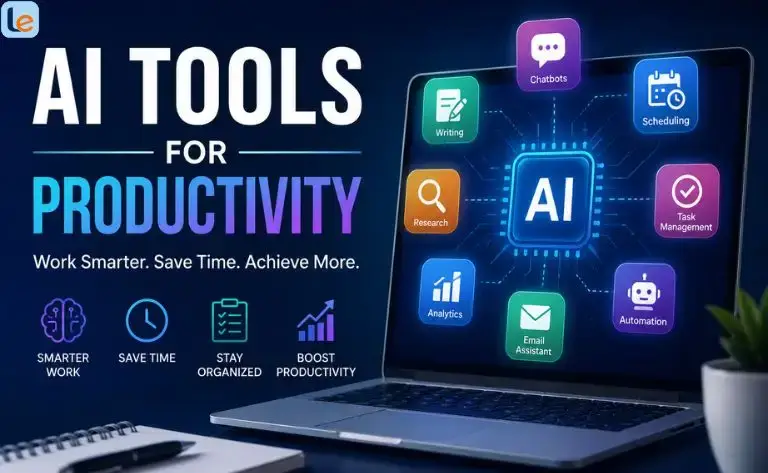
The right AI tools for productivity can help you spend less time on repetitive work and more time on meaningful tasks. Whether you’re a student managing assignments, a professional handling projects, or a creator producing content, AI can become a practical digital assistant.
In 2026, AI productivity has moved beyond simple chatbots. Modern tools can summarize meetings, organize projects, research information, automate workflows, draft documents, manage calendars, and even complete multi-step tasks.
The opportunity is significant. Microsoft’s Work Trend Index has reported widespread AI adoption among knowledge workers, while Asana’s 2025 research found that 48% of knowledge workers surveyed were using AI at work weekly.
But more AI does not automatically mean more productivity. The best results come from choosing tools that solve specific problems and integrating them into a simple workflow.
What Are AI Productivity Tools?
AI productivity tools are applications that use artificial intelligence to help people complete tasks faster, organize information, make decisions, or automate repetitive work.
For example, an AI assistant can turn a long meeting transcript into action items. A project-management platform can summarize dozens of tasks. An automation platform can connect your email, spreadsheet, CRM, and AI model so information moves between them automatically.
For students, these tools can help with research, brainstorming, summarization, note organization, and study planning. Professionals can reduce administrative work and improve communication.
17 Best AI Tools for Productivity in 2026
Below are some of the best AI tools for productivity, covering different use cases rather than simply listing similar chatbots.
1. ChatGPT — Best All-Around AI Productivity Tool
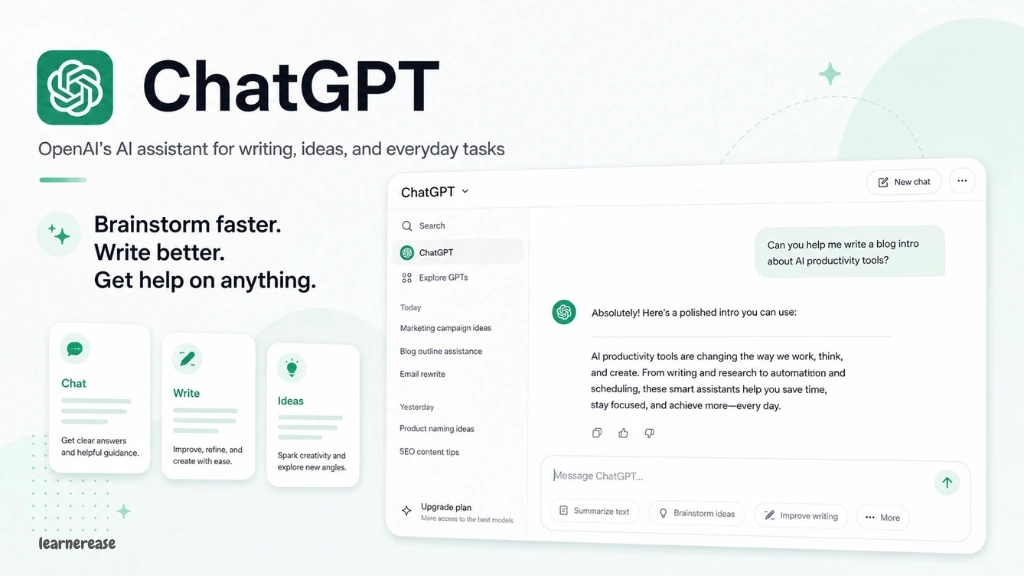
ChatGPT is one of the most versatile choices for everyday productivity.
You can use it to brainstorm ideas, summarize documents, analyze information, create outlines, draft emails, generate reports, and plan projects.
Its Projects feature keeps related chats, files, and instructions together, which is particularly useful for long-running work. ChatGPT also supports scheduled tasks that can run at specific or recurring times.
Best for: Students, writers, researchers, professionals, and general productivity.
Example: Create a project for a university course and keep your study materials, notes, questions, and instructions together.
2. Google Gemini — Best for Google Workspace Users
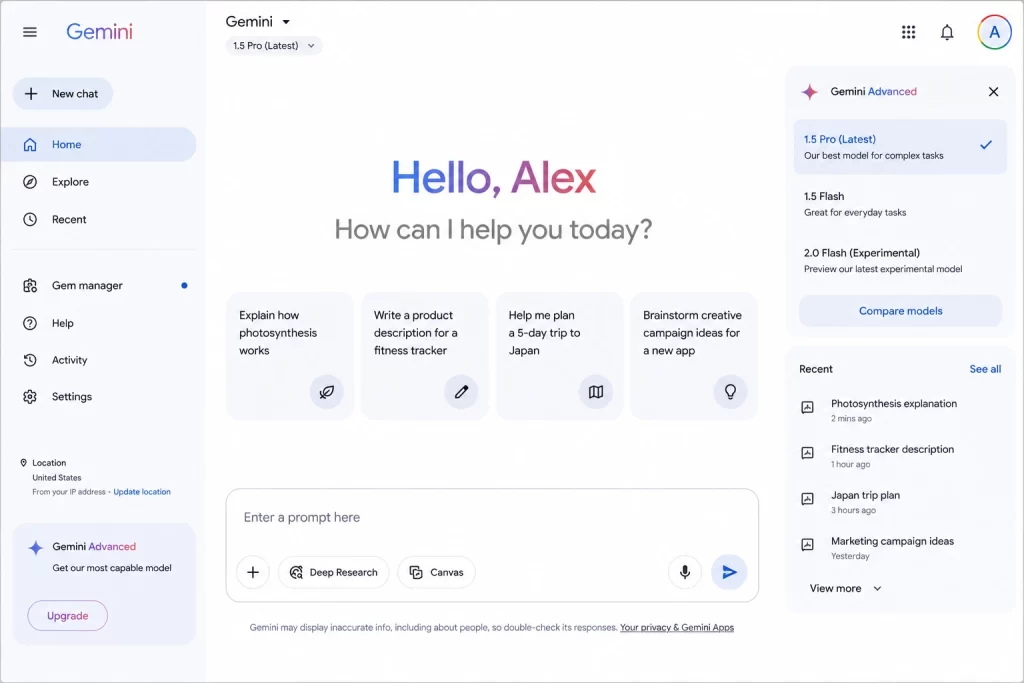
Gemini is especially useful if your workflow already revolves around Google products.
Google has been expanding Gemini across Docs, Sheets, Slides, Drive, Gmail, and Meet. For example, Gemini can help create documents and spreadsheets, find information across files and emails, and assist with presentations.
Gemini can also take meeting notes in Google Meet, generating summaries and action items and saving notes to Google Drive for eligible users.
Best for: Students, professionals, teachers, and Google Workspace users.
3. Notion AI — Best for Knowledge Management
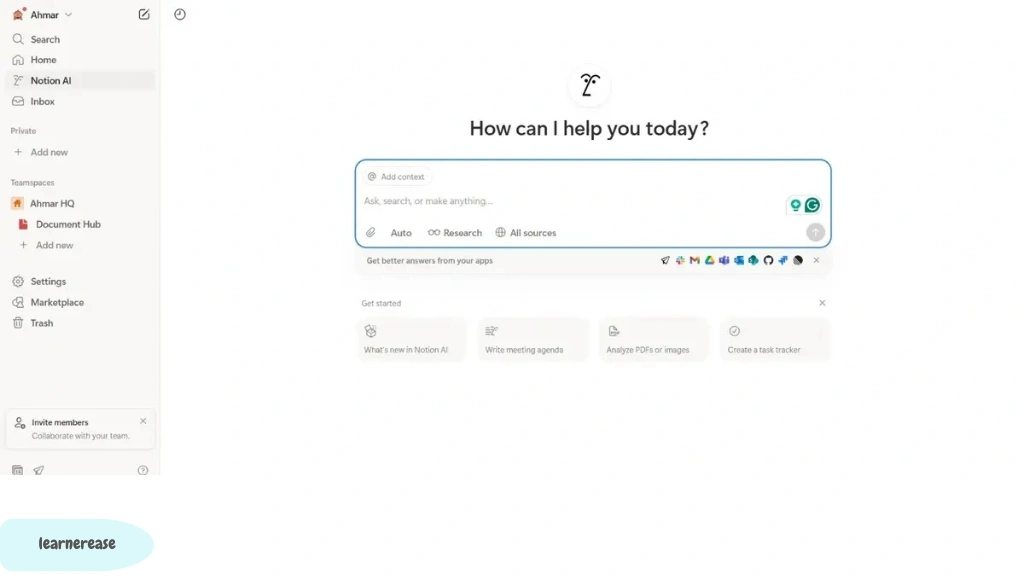
Notion AI combines notes, documents, databases, projects, and AI assistance in one workspace.
Its current capabilities include AI writing, research, meeting notes, workspace search, database automation, and AI agents. It can also work with information from connected applications when enabled.
Best for: Students, content creators, project teams, and people who want an organized digital workspace.
Example: Keep your content calendar, research notes, article briefs, and publishing checklist inside one Notion workspace.
4. Microsoft 365 Copilot — Best AI Tool for Work Productivity
For people who live inside Word, Excel, Outlook, and Teams, Microsoft 365 Copilot is a natural productivity option.
Copilot can help prioritize work, analyze information, summarize discussions, assist with documents, and surface insights from Microsoft 365 data.
Best for: Business professionals, office workers, managers, and organizations using Microsoft 365.
Example: Use Copilot in Outlook to understand an overloaded inbox and identify urgent messages before starting your day.
5. ClickUp Brain — Best for Project Management
ClickUp Brain brings AI into project management.
It can summarize tasks and projects, generate updates, assist with writing, search information, create subtasks, and support AI agents and automation.
Best for: Teams, project managers, agencies, and freelancers.
If your main productivity problem is managing multiple projects rather than generating text, ClickUp can be more useful than a standalone AI chatbot.
6. Zapier — Best for AI Workflow Automation
Zapier is designed to connect applications and automate workflows.
Its platform supports more than 9,000 apps and enables users to integrate AI models into business processes. AI steps can summarize, classify, draft, make decisions, and support automated workflows.
Best for: Entrepreneurs, marketers, freelancers, and businesses.
Example: A new form submission could automatically enter a spreadsheet, be summarized by AI, and trigger a follow-up email.
7. Grammarly — Best for AI Writing Productivity
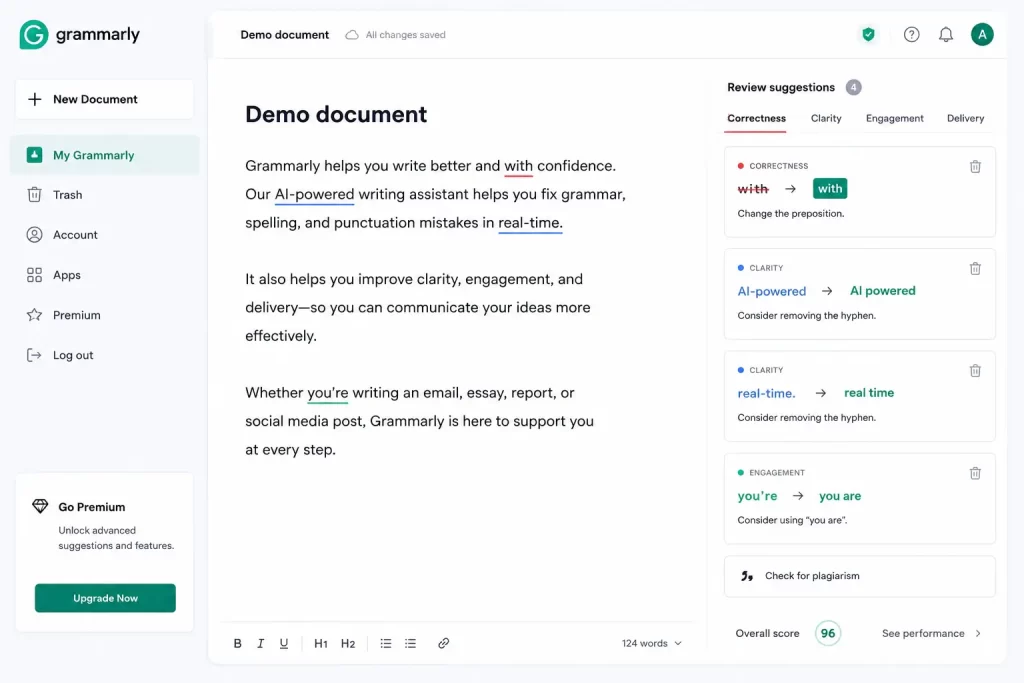
Grammarly is useful when your productivity depends heavily on communication.
It can help improve grammar, clarity, tone, and overall writing quality. This makes it useful for emails, reports, academic writing, social posts, and business communication.
Best for: Students, writers, marketers, professionals, and anyone who writes frequently.
8. Otter.ai — Best for Meeting Notes
Taking notes manually during meetings can make it difficult to concentrate on the actual conversation.
AI meeting assistants such as Otter.ai can transcribe conversations and help users turn meetings into searchable notes and summaries.
Best for: Professionals, students conducting interviews, researchers, and remote teams.
Productivity tip: Instead of trying to write everything down, focus on decisions and questions while AI handles much of the transcription work.
9. Fireflies.ai — Best for Meeting Intelligence
Fireflies.ai is another AI-powered meeting assistant focused on recording, transcribing, summarizing, and extracting useful information from conversations.
It can be particularly helpful for sales calls, team meetings, interviews, and recurring discussions.
Best for: Sales teams, recruiters, marketers, consultants, and remote teams.
10. Motion — Best for AI Scheduling
Motion focuses on turning tasks and appointments into an organized schedule.
Instead of maintaining a simple to-do list, users can use AI-assisted planning to organize tasks around their calendar.
Best for: Entrepreneurs, managers, freelancers, and busy professionals.
The biggest benefit is the shift from simply asking “What do I need to do?” to “When should I actually do it?”
11. Reclaim AI — Best for Calendar Management
Reclaim is designed around intelligent calendar management.
It can help protect time for tasks, habits, meetings, and personal commitments while adapting schedules as priorities change.
Best for: Professionals with crowded calendars and people who struggle with time blocking.
12. Todoist — Best AI Task Management
Todoist is a popular task-management platform that can be enhanced with AI-assisted productivity features.
It works well for organizing personal tasks, projects, recurring responsibilities, and daily priorities.
Best for: Students, professionals, families, and individual users.
A simple workflow is to capture everything into Todoist and then review your highest-priority tasks each morning.
13. Perplexity — Best for AI-Powered Research
Perplexity is useful when productivity depends on finding and understanding information quickly.
Instead of manually opening numerous search results, you can ask research questions and review an AI-generated answer with sources.
Best for: Students, researchers, writers, marketers, and professionals who regularly investigate topics online.
Remember that important facts should still be checked against the original sources.
14. NotebookLM — Best for Studying and Document Research
NotebookLM is particularly useful for people who work with a collection of documents.
Students can use it to understand course materials, while professionals can use it to analyze reports, research papers, and other reference materials.
Best for: Students, researchers, teachers, and knowledge workers.
Example: Upload course materials and use the AI to identify important concepts, generate questions, or explain difficult sections.
15. Canva — Best for AI-Assisted Creative Productivity
Canva combines graphic design with AI-powered creation features.
It can help users create presentations, social media graphics, marketing materials, images, and other visual content without starting every design from scratch.
Best for: Bloggers, marketers, students, entrepreneurs, and content creators.
16. Claude — Best for Long-Form Thinking and Writing
Claude is another powerful AI assistant that can support writing, analysis, brainstorming, coding, and document-based workflows.
It can be particularly useful when you want to work through a complex topic or develop a large piece of content iteratively.
Best for: Writers, developers, researchers, and professionals.
17. Google Workspace AI Tools — Best for Everyday Office Tasks
If your daily work happens inside Gmail, Docs, Sheets, Drive, and Meet, Google’s expanding AI capabilities can reduce the need to constantly move between separate applications.
Google says more than 4 billion users rely on Google Workspace applications, making integrated AI particularly significant for everyday productivity.
Best for: Students, businesses, teachers, and everyday Google users.
Best AI Tools for Work Productivity: Which Should You Choose?
Choosing among the best AI tools for work productivity depends on your biggest bottleneck.
| Your Need | Recommended Tool |
| General AI assistance | ChatGPT |
| Google Workspace | Gemini |
| Microsoft 365 | Copilot |
| Notes & knowledge management | Notion AI |
| Project management | ClickUp Brain |
| Workflow automation | Zapier |
| Writing | Grammarly |
| Meeting transcription | Otter.ai |
| Meeting intelligence | Fireflies.ai |
| Calendar optimization | Motion |
| Calendar time management | Reclaim |
| Task management | Todoist |
| Online research | Perplexity |
| Document-based study | NotebookLM |
| Visual content | Canva |
| Long-form analysis | Claude |
Free AI Tools for Productivity: What Can You Use Without Paying?
You don’t necessarily need a large budget to start.
Many AI platforms provide free tiers, trials, or limited AI capabilities. However, free plans frequently have usage limits, fewer advanced features, or restrictions on automation.
For example, Notion currently offers limited complimentary AI responses to users on its Free and Plus plans, while more extensive AI capabilities are available on higher plans.
A practical free-starting stack could include:
- ChatGPT for brainstorming and everyday assistance
- Gemini for Google-based workflows
- Notion for organization
- Canva for visual content
- Grammarly for writing
- NotebookLM for document-based learning
Always check the current pricing page before choosing a tool because AI plans and limits change frequently.
How to Use AI Tools for Productivity Without Becoming Overwhelmed
More tools can actually reduce productivity if they create unnecessary complexity.
1. Identify Your Biggest Time-Waster
Start with one problem.
Is it writing emails? Taking notes? Research? Scheduling? Project management? Repetitive data entry?
Choose an AI tool specifically for that problem.
2. Build One Simple Workflow
For example:
Research → AI summary → Notes → Task list → Calendar
You might use Perplexity for research, Notion for notes, Todoist for tasks, and Motion or Reclaim for scheduling.
3. Keep Humans in the Loop
AI-generated information can contain mistakes, outdated information, or misleading conclusions.
For important academic, financial, legal, medical, or business decisions, verify information using trustworthy primary sources and qualified professionals where appropriate.
4. Protect Sensitive Information
Don’t blindly paste confidential business information, private customer data, passwords, financial records, or sensitive personal information into an AI service.
Review each platform’s privacy controls, data-retention policies, and organizational settings before using it for sensitive work.
AI Tools for Productivity Course: What Should You Learn?
If you’re creating or taking an AI tools for productivity course, don’t focus only on learning individual applications.
A useful course should teach:
- AI fundamentals
- Effective prompting
- Research and fact-checking
- AI-assisted writing
- Meeting automation
- Task and project management
- Workflow automation
- Calendar optimization
- AI agents
- Privacy and responsible AI use
The goal should be learning how to design an AI-assisted workflow, not memorizing dozens of tool names.
Do AI Productivity Tools Actually Improve Productivity?
Research suggests that AI can provide meaningful productivity benefits, but results depend heavily on how organizations and individuals use it.
Asana’s 2024 research, based on more than 5,000 knowledge workers in the U.S. and U.K., found that more than two-thirds of workers using generative AI reported productivity gains.
However, Asana’s 2025 research also highlights an important warning: simply adding AI to inefficient workflows doesn’t automatically solve productivity problems. Its research distinguishes organizations that systematically redesign work around AI from those that simply bolt AI onto existing processes.
That distinction matters.
The best productivity strategy isn’t “use more AI.”
It’s “use AI where it removes unnecessary work.”
FAQs About AI Tools for Productivity
1. What are the best AI tools for productivity in 2026?
Some of the strongest options include ChatGPT, Google Gemini, Microsoft 365 Copilot, Notion AI, ClickUp Brain, Zapier, Grammarly, Perplexity, NotebookLM, Motion, and Reclaim. The best choice depends on whether you need help with writing, research, scheduling, project management, or automation.
2. What are the best free AI tools for productivity?
Free options and free tiers can include ChatGPT, Gemini, Notion, Canva, Grammarly, and NotebookLM, although available features and usage limits vary. Always check the current plan details before relying on a free feature.
3. Which AI productivity tool is best for students?
Students can start with ChatGPT, Gemini, NotebookLM, and Notion. These tools can assist with brainstorming, studying, summarizing, organizing research, and managing academic projects. Students should use AI as a learning aid rather than submitting unverified AI-generated work as their own.
4. Can AI tools automate repetitive work?
Yes. Tools such as Zapier can connect different applications and use AI to summarize, classify, draft, or make decisions within automated workflows.
5. Will AI productivity tools replace human workers?
AI is more realistically viewed as a tool that changes how people work rather than a simple replacement for every job. AI can automate repetitive activities, but human judgment, creativity, domain expertise, communication, and accountability remain important.
Final Verdict: Which AI Productivity Tool Is Best?
There isn’t one universal winner among the best AI productivity tools.
ChatGPT is an excellent all-purpose choice. Gemini is compelling for Google Workspace users, while Microsoft 365 Copilot makes sense for Microsoft-heavy workplaces. Notion AI is strong for knowledge management, and ClickUp Brain is useful for project-oriented teams.
For automation, Zapier stands out. For meetings, consider Otter.ai or Fireflies.ai. For scheduling, Motion or Reclaim can help. Students may benefit particularly from NotebookLM, ChatGPT, Gemini, and Notion.
The smartest approach is to start with one or two tools, measure whether they actually save time, and expand your stack only when there’s a clear reason.
AI should remove friction—not create another layer of apps to manage.
Best AI Tools for Students in 2026 (Complete Guide)
Best SEO AI Tools: 20+ AI Tools to Rank Higher & Get More Traffic